[ML] model train - 모델 학습시키는 방법 (기초)
외부 데이터셋을 사용하여 모델을 학습시키고 성능을 확인해 볼 것이다.
https://github.com/VisDrone/VisDrone-Dataset
위 데이터셋은 ultralytics에서 제공하는 드론 시점의 영상(연속 이미지) 데이터셋이다. 해당 데이터셋을 사용하여 진행해 보자.
1. 데이터셋 다운로드
https://docs.ultralytics.com/datasets/detect/visdrone/
VisDrone
Explore the VisDrone Dataset, a large-scale benchmark for drone-based image and video analysis with over 2.6 million annotations for objects like pedestrians and vehicles.
docs.ultralytics.com
위 문서에 들어가면 해당 데이터셋에 대한 설명이 상세히 기재되어 있다.
우선 프로젝트 폴더를 생성하여 VisDrone.yaml 파일을 생성하고 다음 코드를 붙여넣는다.
# Ultralytics 🚀 AGPL-3.0 License - https://ultralytics.com/license

# VisDrone2019-DET dataset https://github.com/VisDrone/VisDrone-Dataset by Tianjin University
# Documentation: https://docs.ultralytics.com/datasets/detect/visdrone/
# Example usage: yolo train data=VisDrone.yaml
# parent
# ├── ultralytics
# └── datasets
#     └── VisDrone ← downloads here (2.3 GB)

# Train/val/test sets as 1) dir: path/to/imgs, 2) file: path/to/imgs.txt, or 3) list: [path/to/imgs1, path/to/imgs2, ..]
path: VisDrone # dataset root dir
train: images/train # train images (relative to 'path') 6471 images
val: images/val # val images (relative to 'path') 548 images
test: images/test # test-dev images (optional) 1610 images

# Classes
names:
  0: pedestrian
  1: people
  2: bicycle
  3: car
  4: van
  5: truck
  6: tricycle
  7: awning-tricycle
  8: bus
  9: motor

# Download script/URL (optional) ---------------------------------------------------------------------------------------
download: |
  import os
  from pathlib import Path
  import shutil

  from ultralytics.utils.downloads import download
  from ultralytics.utils import ASSETS_URL, TQDM


  def visdrone2yolo(dir, split, source_name=None):
      """Convert VisDrone annotations to YOLO format with images/{split} and labels/{split} structure."""
      from PIL import Image

      source_dir = dir / (source_name or f"VisDrone2019-DET-{split}")
      images_dir = dir / "images" / split
      labels_dir = dir / "labels" / split
      labels_dir.mkdir(parents=True, exist_ok=True)

      # Move images to new structure
      if (source_images_dir := source_dir / "images").exists():
          images_dir.mkdir(parents=True, exist_ok=True)
          for img in source_images_dir.glob("*.jpg"):
              img.rename(images_dir / img.name)

      for f in TQDM((source_dir / "annotations").glob("*.txt"), desc=f"Converting {split}"):
          img_size = Image.open(images_dir / f.with_suffix(".jpg").name).size
          dw, dh = 1.0 / img_size[0], 1.0 / img_size[1]
          lines = []

          with open(f, encoding="utf-8") as file:
              for row in [x.split(",") for x in file.read().strip().splitlines()]:
                  if row[4] != "0":  # Skip ignored regions
                      x, y, w, h = map(int, row[:4])
                      cls = int(row[5]) - 1
                      # Convert to YOLO format
                      x_center, y_center = (x + w / 2) * dw, (y + h / 2) * dh
                      w_norm, h_norm = w * dw, h * dh
                      lines.append(f"{cls} {x_center:.6f} {y_center:.6f} {w_norm:.6f} {h_norm:.6f}\n")

          (labels_dir / f.name).write_text("".join(lines), encoding="utf-8")


  # Download (ignores test-challenge split)
  dir = Path(yaml["path"])  # dataset root dir
  urls = [
      f"{ASSETS_URL}/VisDrone2019-DET-train.zip",
      f"{ASSETS_URL}/VisDrone2019-DET-val.zip",
      f"{ASSETS_URL}/VisDrone2019-DET-test-dev.zip",
      # f"{ASSETS_URL}/VisDrone2019-DET-test-challenge.zip",
  ]
  download(urls, dir=dir, threads=4)

  # Convert
  splits = {"VisDrone2019-DET-train": "train", "VisDrone2019-DET-val": "val", "VisDrone2019-DET-test-dev": "test"}
  for folder, split in splits.items():
      visdrone2yolo(dir, split, folder)  # convert VisDrone annotations to YOLO labels
      shutil.rmtree(dir / folder)  # cleanup original directory
해당 데이터셋은 총 9개의 클래스로 이루어져 있으며, images 폴더와 labes 폴더 내에 train, val, test 폴더가 있는 구조임을 알 수 있다.
https://docs.ultralytics.com/modes/train/
Train
Learn how to efficiently train object detection models using YOLO11 with comprehensive instructions on settings, augmentation, and hardware utilization.
docs.ultralytics.com
위 문서는 해당 데이터셋을 train 하는 방법이 소개되어 있다. yolo11n 모델을 사용하여 진행한다.
train.py를 생성하여 개인의 환경에 맞게 코드를 붙여넣으면 된다. 이 글에서는 싱글 GPU 및 CPU 환경으로 진행할 것이다.
from ultralytics import YOLO

# Load a model
model = YOLO("yolo11n.yaml")  # build a new model from YAML
model = YOLO("yolo11n.pt")  # load a pretrained model (recommended for training)
model = YOLO("yolo11n.yaml").load("yolo11n.pt")  # build from YAML and transfer weights

# Train the model
results = model.train(data="coco8.yaml", epochs=100, imgsz=640)
우선 0번 gpu를 사용하려 시도하고, gpu가 없다고 판단하면 cpu를 사용하여 다운로드를 시도한다.
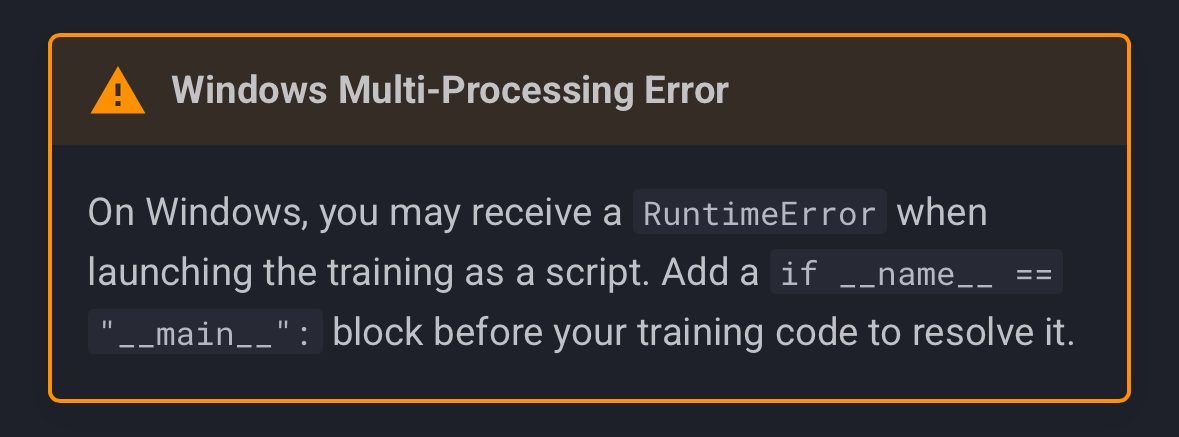
*참고* Window에서 진행 시 런타임 에러 방지를 위해 해당 코드 블럭을 감싸 줘야 한다.
그 후 train.py를 실행하면 데이터셋이 yaml 파일에 의해 자동으로 다운로드되고, train 파일에 의해 100 에폭으로 모델이 학습되는 것을 확인할 수 있다.
학습이 완료되면 weights 폴더에 best.pt가 생성되는 것을 확인할 수 있다.
그리고 터미널에는 best.pt의 성능 지표가 출력된다.
각 클래스에 대하여 이미지 개수, 감지된 객체의 개수(인스턴스), P(정확도), R(재현률), mAP50(P-R 곡선에서 Threshold=50일 때의 모델 전체 성능), mAP50-95가 출력된다.
mAP(mean Average Precision)에 대해 더 자세히 설명하자면, 해당 모델이 예측한 박스와 실제 박스가 겹친 정도(IoU, Intersection over Union)에 따라 TP(True Positive)를 판단하고, 해당 값을 기반으로 산출된다.
예를 들어 mAP50의 경우에는 IoU 임계값은 0.5로 설정되고, 예측 박스와 실제 박스가 50% 이상 겹치게 되면 이를 TP로 간주한다. 그리고 P와 R을 여러 임계값에 대해 계산하여 P-R 곡선을 그리고, 곡선 아래 면적을 통해 AP를 산출할 수 있다. 이를 여러 클래스의 AP를 평균 내면 mAP가 되는 것이다.
*참고* P와 R은 반비례 관계이기 때문에 y=-x 형태의 그래프로 그려진다. (x축: R, y축: P)
다음 글에서는 성능 지표를 시각화할 수 있는 사이트인 wandb에 대하여 소개하겠다!